

Invoice on site.
Get paid before you drive away.
Quotes, GST invoices, card payments by QR code and your own customer site — in one simple app that runs on the phone already in your pocket.
- No terminal to rent
- Quote → invoice in one tap
- Deposits & part payments
- Before & after site photos
- Verified licence badges
Screens show sample data. · Download the brochure (PDF, 19 pages) · 4.4 MB
What changes in your week
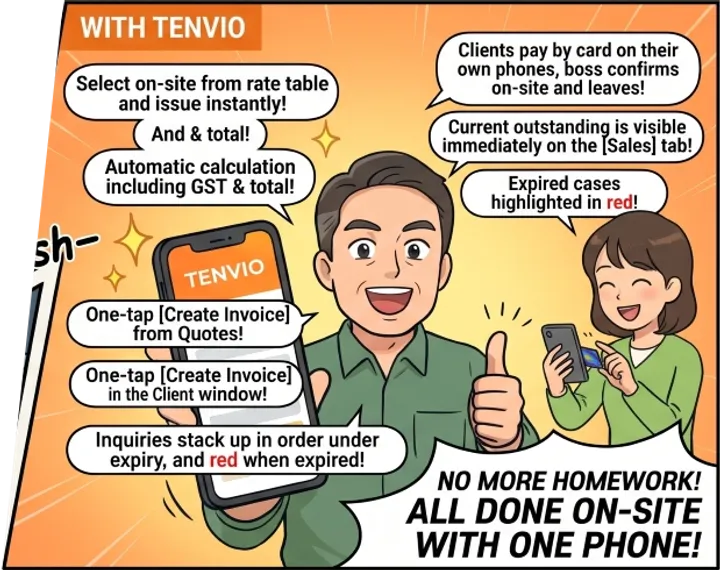
Paperwork that used to follow you home gets finished on site, on the phone you already carry.
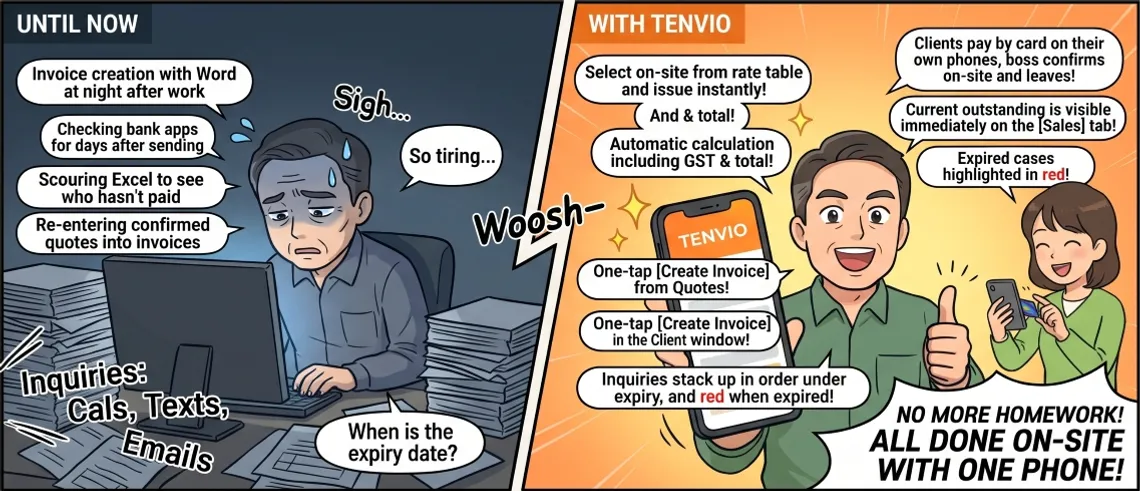
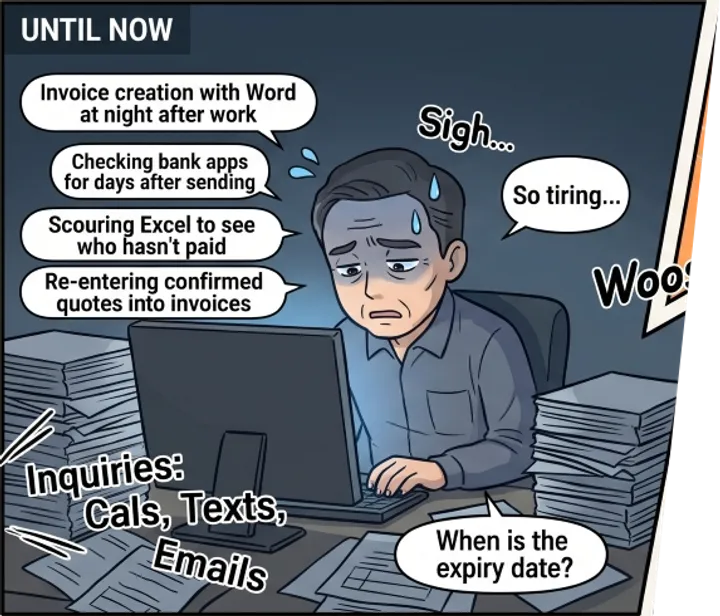
Writing invoices in Word at night, after the day’s jobs
Pick lines from your price book on site and issue — GST and totals are done
Sending an invoice, then checking the banking app for days
The customer pays by card on their own phone before you leave
Scrolling a spreadsheet to see who still owes you
Sales shows what’s still owed right now, with overdue invoices in red
Retyping an accepted quote as an invoice
Open the quote and tap Convert to invoice — once
Enquiries scattered across texts, calls and email
Requests from your customer site stack up at the top of Jobs
Finding out your licence lapsed when a customer asks
Expiry shows amber two months ahead, and red once it’s passed
One job, start to finish
A customer asks
They find your customer site and send a request with the address and a morning or afternoon that suits.
You quote and schedule
The request waits at the top of Jobs. Call with one tap, send a quote, put the job in the diary.
Photos and invoice on site
Snap before and after photos, then create the invoice from your price book. GST and totals are done.
They pay there and then
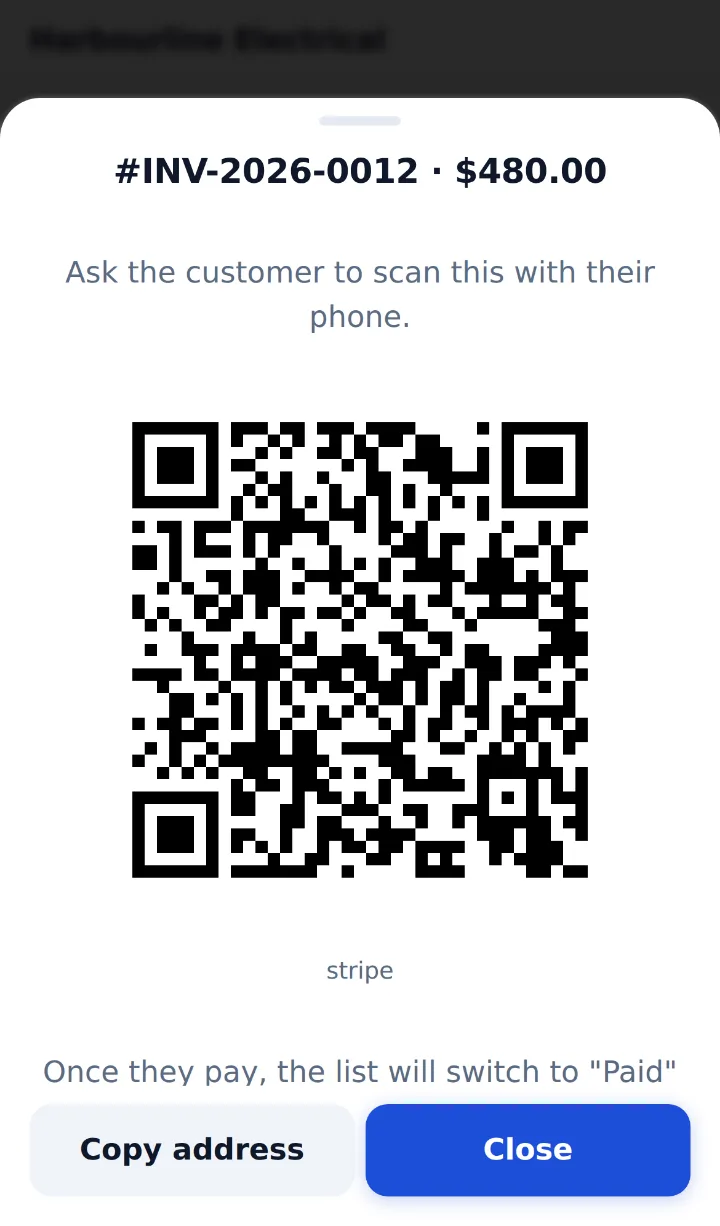
Show the card QR or send the invoice link. The customer pays by card or by bank transfer.
Your books are ready
Sales shows what you invoiced, collected and are still owed — overdue in red. Invoices export as a Xero import file (CSV).
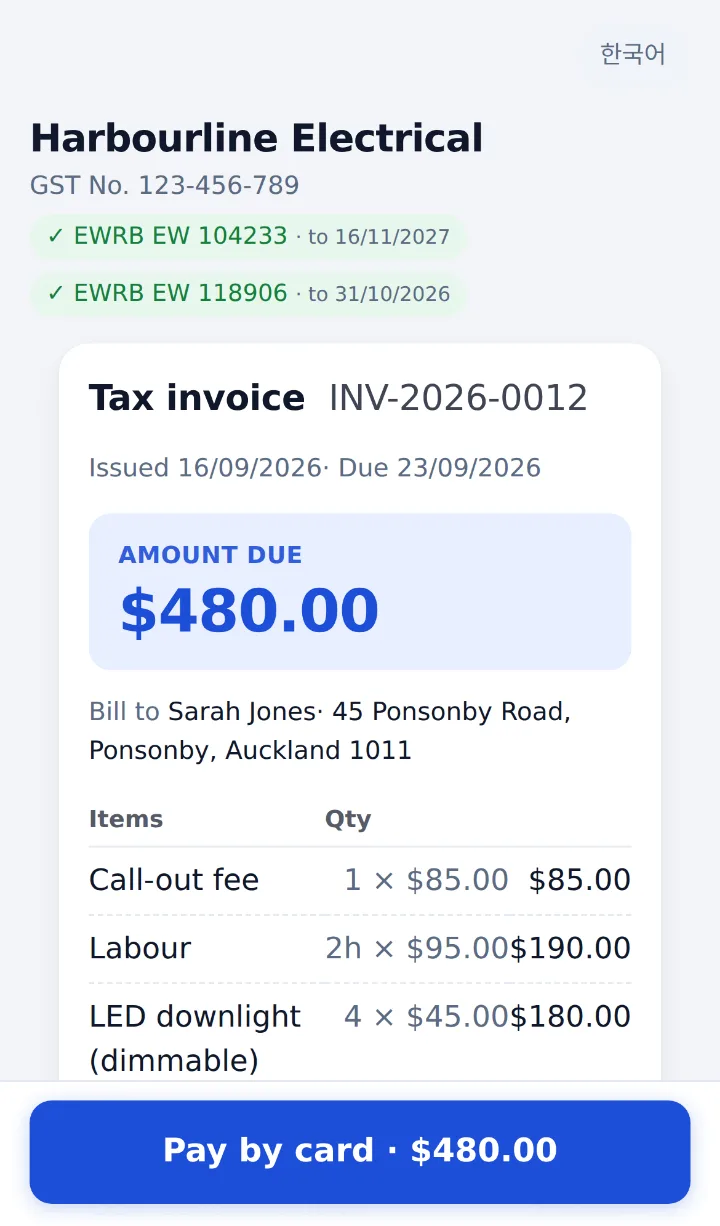
A proper tax invoice in the time it takes to boil the jug.
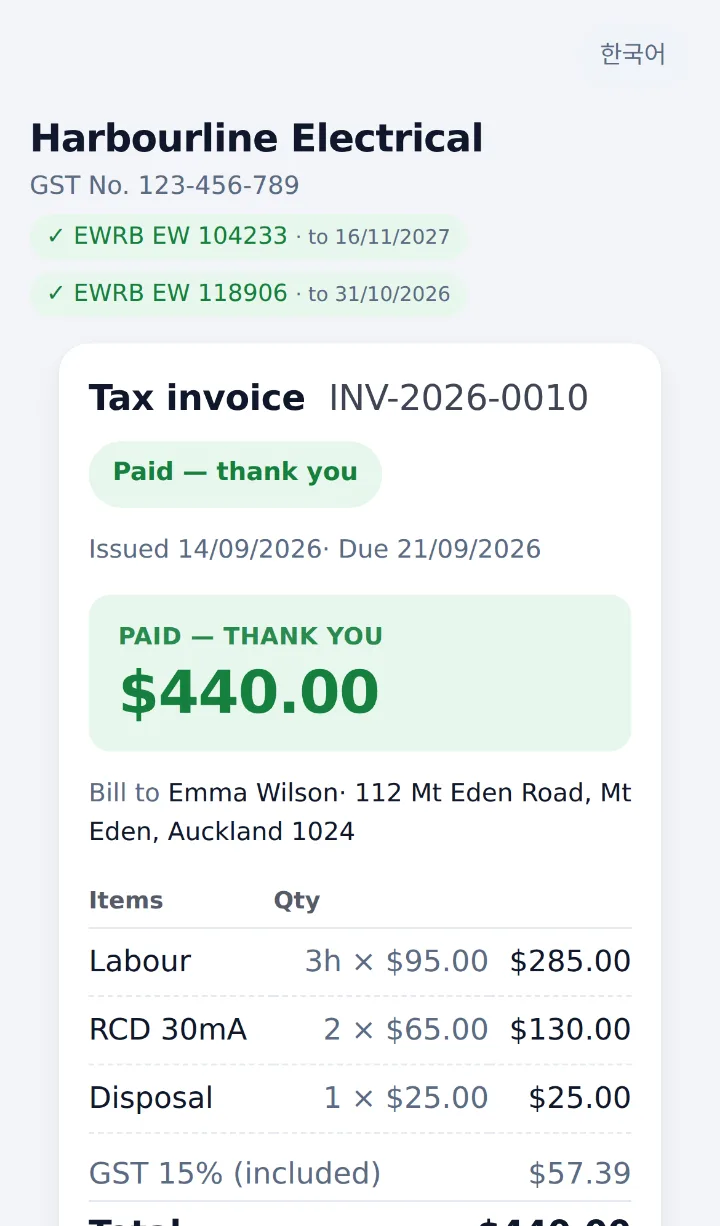
Tap lines from your price book, issue, and show the card QR. Your customer pays on their own phone — no app, no login.
- Prices include GST; GST-registered businesses get a tax invoice with the GST number
- Numbered automatically: INV-2026-0001, quotes Q-2026-0001
- Card by QR or link, bank transfer with the reference filled in, or cash
- Invoice emails from your own business email — and the receipt goes out by itself the moment payment is confirmed
- On your phone, [Send] opens the share sheet — text, WhatsApp or email. [Customer view] shows exactly what they’ll see
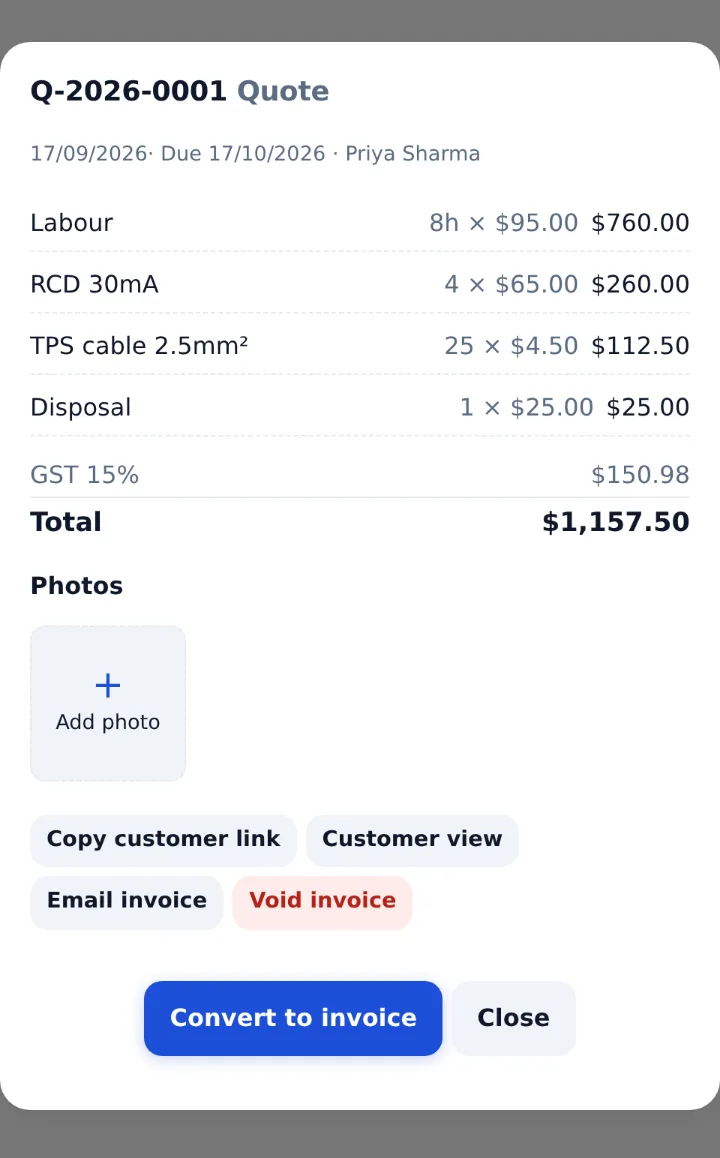
They said yes. Now it’s an invoice.
When the customer accepts, open the quote and tap Convert to invoice — nothing to type twice.
- Lines, prices and discount carry over exactly as quoted
- The invoice gets its own number and due date
- If the customer opens the old quote link, they’re sent to the invoice to pay
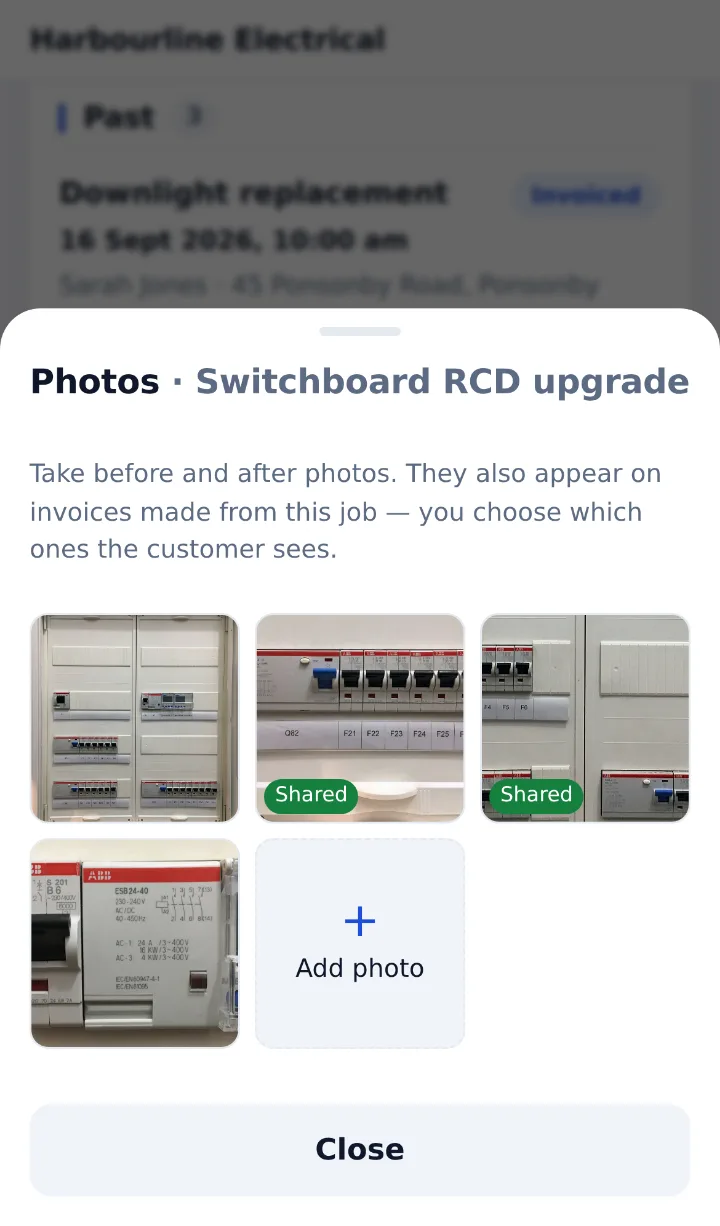
Before and after, right on the job.
Take photos or pick them from your gallery. They stay on the job and follow it onto the invoice.
- Resized on the phone — quick on mobile data
- Add a caption and choose what the customer sees — private by default
- Shared photos show on the customer’s invoice link
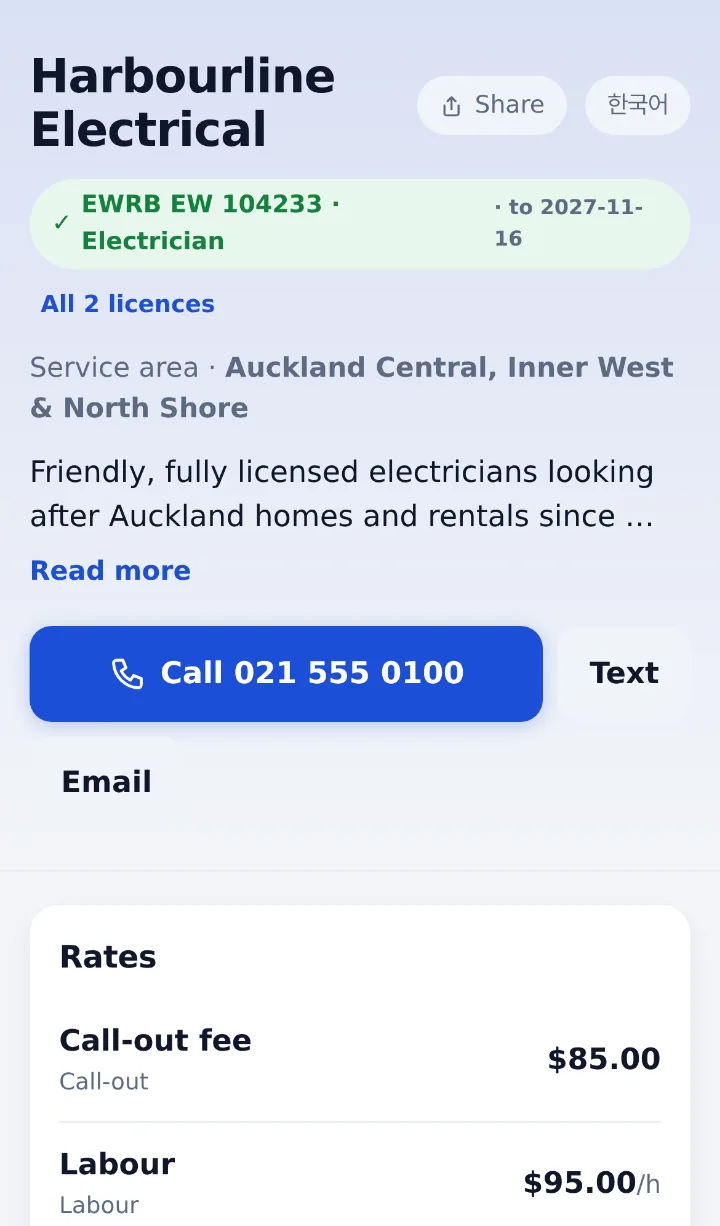
A page that brings in the work.
Who you are, where you work, your verified licences and the rates you choose to publish — with call, text and a quote request form.
- EWRB, PGDB and LBP licences checked by Tenvio before a badge appears
- Customers pick a morning or afternoon; requests land in Jobs
- QR code and address ready for the van and business cards
Everything else you use every day
The screens behind the job — named exactly as they appear in the app.
Today’s jobs on one screen
A job is one site. Add a title, customer, address and when you’re going, and it sorts itself into today, upcoming and past.
- Status runs request → scheduled → done → invoiced, or cancelled
- From a job, [Create invoice] or [Make a quote] opens with the customer and title filled in
- Issue the invoice and the job moves to invoiced by itself
More (+1)
- Site photos (Plus) stay on the job and appear on its invoice
Enquiries stop getting lost
When your customer site is on, every quote request lands at the top of Jobs — contact details, address, what they need and the time that suits.
- [Phone] or [Email] straight from the request
- [Schedule] turns it into a job, with the start of their chosen window filled in
- They join your customer list only when you tap [Add as customer] — spam never gets in
More (+1)
- Not a real job? [Discard] clears it
Deposits to refunds, all in one place
Every way money comes in or goes back is on the invoice itself, so the books never drift.
- Part payments — type an amount to take a deposit; the balance comes later on the same link
- If the customer marks “I’ll pay by bank transfer” on their invoice, your screen shows it
- Card invoices only show paid once Stripe confirms it — a screenshot of a success page can’t fool you. [Card QR] rechecks every 3 seconds
More (+2)
- Refunds, in full or in part: card goes back through Stripe, cash and transfers are recorded
- Issued invoices can’t be edited. [Void invoice] with a reason — and if anything was paid, refund first
They pick the day. You confirm it.
Customers choose a date in the next two weeks and a half-day window — morning 8–12 or afternoon 12–5. A window, not a time, because no tradie can promise an arrival time.
- Set how many jobs you take in each window, weekday by weekday (0 means closed)
- When a window is full, customers see it as full
- A booking arrives as a request — it’s confirmed only when you tap [Schedule]
Fixed-price call-outs, paid up front
Turn on prepayment for fixed-price items only — a safety inspection, a call-out. Customers tap [Book & pay] on your customer site and pay by card.
- Customers are told that anything beyond it is quoted before work starts
- Choose your cancellation rule: full refund, refund less the call-out fee, or no refund — customers read it before they pay
- Switched on item by item in your price book — never for jobs you have to see first
Set it up once. Invoice fast forever.
Call-outs, labour, materials and other items, grouped by type. Prices include GST.
- Labour counts in hours — it prints as 2h × $95.00
- An English name for each line, so invoices read right in either language
- Hide lines you no longer use instead of deleting them — old invoices keep their wording
More (+2)
- Choose line by line what your customer site shows — hidden by default
- Customer list with phone, email, address and notes, searchable. Deleting a customer keeps their invoices
Verified badges, and a warning before they lapse
Record EWRB, PGDB, LBP or other registrations with number, holder, expiry and a link to the register.
- A badge appears on invoices and your customer site only after Tenvio checks the public register
- Amber from two months before expiry, red once it’s passed
- An expired licence drops off customer screens by itself — renew early
Know what you’re owed at a glance
Pick a period and see what you invoiced and collected, day by day.
- Collected is net of refunds
- Outstanding is what’s owed right now, whatever the period — overdue counted and shown in red
- Quotes are counted separately, not as sales
More (+2)
- [Export to Xero] downloads issued invoices as a Xero import file (CSV); quotes and cancelled invoices are left out
- Only the owner and manager see Sales
Your techs get what the job needs — no more
Five roles: owner, manager, office, cashier and field technician. The role decides what each person can do.
- Field technicians issue invoices, take payments, run jobs and take photos on site
- Office and cashier issue invoices, record payments and cancel
- Owner and manager also see Sales, give refunds and change settings (refunds can be opened to office and cashier)
More (+2)
- Invite by email or a sign-in QR code
- Staff screens switch between English and Korean, with dark mode and larger text — and add to the home screen like an app
Your money and your records, looked after
Money goes straight to you
Card payments land in your own Stripe account and bank. Tenvio never holds your money.
Card details never reach us
Customers pay on Stripe’s secure checkout page. Card numbers never touch Tenvio.
Invoices stay as issued
Issued invoices can’t be edited, and cancelled ones are kept marked cancelled — the record your GST return relies on.
Support only when you allow it
Tenvio staff can look in only when you allow it — for 24 or 72 hours, view-only by default. You get an email and everyone sees a banner.
Every visit is logged
Who came in, when and why is kept in a log you can read in Settings.
Private by default
Site photos stay hidden until you share them. Each invoice link has its own 22-character key. Data is kept in Sydney, Australia.
No terminal to rent. Card fees only when you get paid.
| A typical EFTPOS terminal | Tenvio card QR | |
|---|---|---|
| Terminal rental | $30–$60+/month (terminal, network, SIM) | $0 — no terminal, network, SIM |
| Quiet months | Terminal rental is still due | Card fees only on what you take |
| Software subscription | Not included — software is extra | Plan from $29/month for invoicing software — not a payment fee |
| Where customers pay | On your terminal | On their own phone — QR or link |
- Card processing by Stripe
- Money goes straight to your own Stripe account and bank
- Tenvio’s platform fee
Example: a $480.00 invoice
Big job? Bank transfer has no card fee.
Every invoice shows your bank account and the invoice number as the reference. Tap Transfer received when it lands.
Example uses an NZ-issued card. The two parts are charged separately: Stripe deducts its own fee from your Stripe account under Stripe’s rates and tax treatment, and Tenvio takes only its platform fee, which is GST-inclusive. Overseas-issued cards are charged at a separate rate. The card fee does not include your Tenvio plan, and the plan does not include card fees. Typical NZ terminal costs exclude GST.
Simple pricing. Your crew is included.
Start with a free 30-day trial of everything in Standard.
Start a free 30-day trialTrial
- Everything in Standard
- 30 days from the day your account opens
- Onboarding once you choose a plan
Basic
- Invoices & quotes
- Card QR & customer link
- Cash & bank transfer records
- Invoice & receipt emails
- 1 location · 1 user
Standard
- Everything in Basic
- Sales summary
- Your customer site & quote requests
- Up to 5 people (owner included)
Plus
- Everything in Standard
- Site photos (before & after)
- Date booking
- Book & pay (prepayment)
- Multiple locations
- Up to 10 people · extra NZ$10/person/month
Getting set up
Do it yourself for free, or spend an hour with us. Together we load your price book, register your licences and connect Stripe, then run a test card payment.
The setup fee is one-off. Remote and on-site cost the same because the work is the same — travel is what differs, and it is charged separately by distance. All amounts exclude GST.
Once go-live support ends, settings changes and extra training are $120/hour.
Pay yearly and get 2 months free.
All prices in NZD, excluding GST. GST at 15% is added on invoice, and we issue a tax invoice showing our GST number.
Questions
Do I need a card terminal?
No. Your customer scans the QR code on your phone, or opens the invoice link, and pays on their own phone.
Who holds the money?
Card payments go straight into your own Stripe account and on to your bank. Tenvio never holds your money.
Does my customer need an app?
No. The invoice opens in any phone browser, in English or Korean.
Are the invoices GST tax invoices?
Prices include GST. If your business is GST-registered, invoices are tax invoices showing your GST number.
Where is my data kept?
On servers in Sydney, Australia. Tenvio support can only look in when you allow it, and every visit is logged. You can download your records as CSV at any time from Settings → Export data.
Do you onboard us during the trial?
No. The trial is for trying it yourself, so we just open the account. Follow [Once, at the start — setting up] in Help and you can do it on your own. The one-hour onboarding happens once you choose a plan.
Can my team use it?
Yes. Invite staff by email or sign-in QR. Plans include 1, 5 or 10 people, owner included — more on Plus for NZ$10 a person a month.
Can I take a deposit first?
Yes. Type the amount when you take payment and only that much is paid. The invoice shows what’s left, and the customer pays the balance on the same link.
Can I change an invoice after issuing it?
No — that’s what keeps your GST records sound. Void it with a reason and issue a new one. If anything was paid, refund it first.
Is a date the customer picks confirmed?
Not yet. It arrives as a request at the top of Jobs, and it’s confirmed when you tap [Schedule].
Does it connect to Xero?
Not automatically yet. [Export to Xero] downloads your issued invoices as a Xero import file (CSV) that you upload to Xero.
Try it on your next job.
Send us a request and we’ll be in touch within one business day to open your business account. Use it for 30 days — once you decide, a one-hour onboarding sets up your price book, licences and Stripe with you.
Request received
We’ll contact you within one business day. Thank you.
Prefer to talk? Contact us directly